Practical Online Course

Create Professional Whiteboard Animation Videos with VideoScribe

Learn the production process behind clear, engaging whiteboard animation videos through focused practical training.

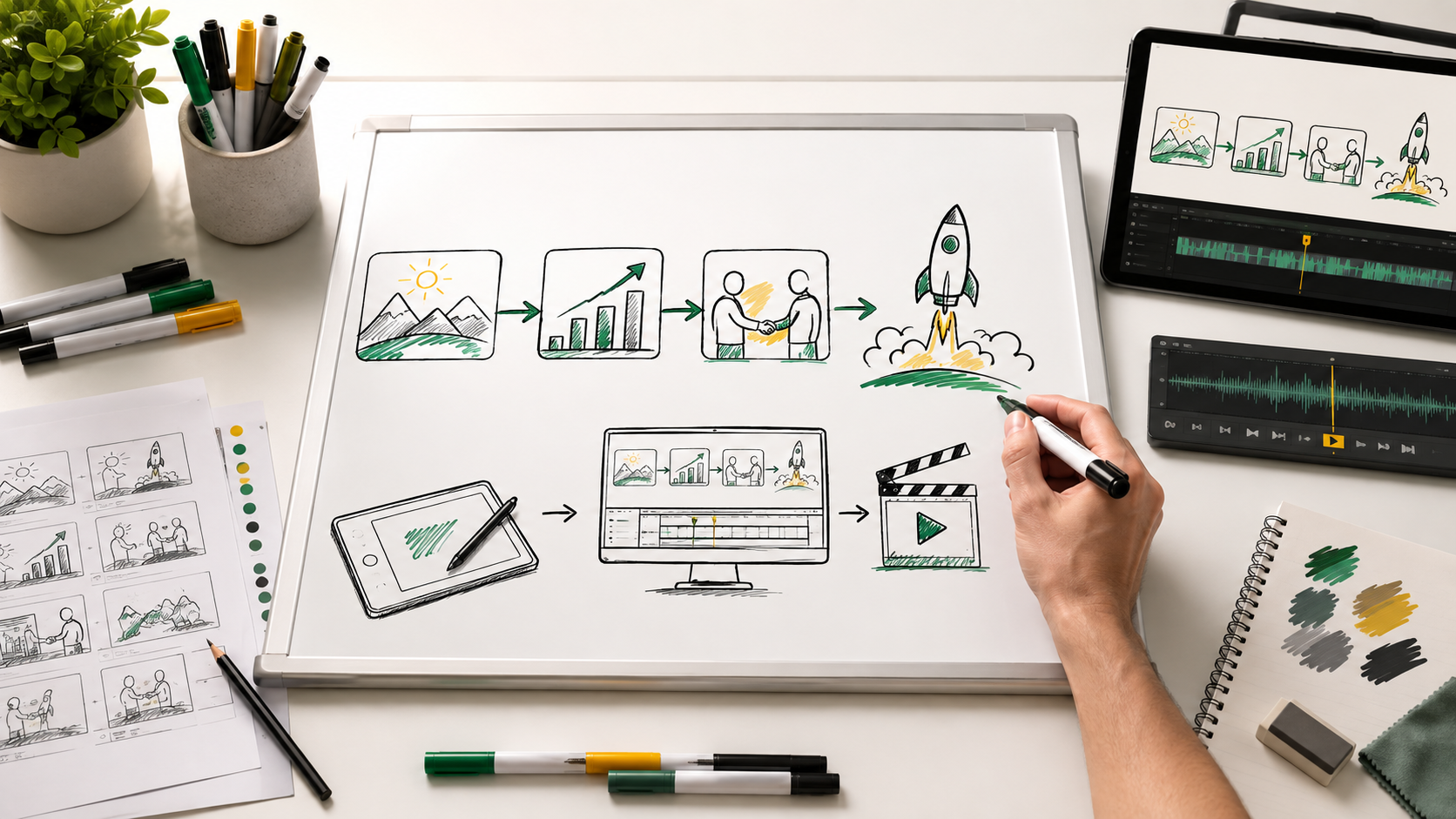
Whiteboard animation course workspace
PRACTICAL WORKFLOW From Idea to Final Video
ONE-TIME 950 EGP
15 Recorded Lessons Structured course content
About 7 Hours Learn at your own pace
Arabic Instruction Clear practical explanations
Beginner Friendly No previous experience required
What You Will Learn

A Complete Workflow for Creating Whiteboard Videos

Move from a simple idea to a clear, engaging, and professionally exported whiteboard animation video.

Plan the Idea and Script

Organize the message, structure the story, and prepare the sequence of scenes before production.

Prepare Visual Assets

Prepare suitable drawings, images, and visual elements for use inside whiteboard scenes.

Build Animated Scenes

Create scenes in VideoScribe and control the order, movement, drawing style, and visual flow.

Control Timing and Pacing

Synchronize scene timing, camera movement, transitions, and the pace of the explanation.

Add Voiceover and Audio

Prepare and add narration, music, and sound while keeping the final video clear and balanced.

Export the Final Video

Review the completed project and export a finished video ready for publishing or delivery.

Practical Applications

Build Skills You Can Use in Real Projects

The workflow can be applied to different types of whiteboard animation projects.

01

Marketing and Explainer Videos

Create visual explanations for products, services, ideas, and promotional campaigns.

02

YouTube and Educational Content

Produce clear whiteboard videos for educational channels and informative content.

03

Freelance Client Projects

Understand a complete production process that can be used when creating work for clients.

Course Curriculum

A Structured, Step-by-Step Curriculum

The course follows the whiteboard video production process from preparation through final delivery.

01 Whiteboard Animation Foundations Concepts, planning, workflow, and project preparation
Understand the whiteboard animation format, prepare the idea and script, and plan the scenes before starting production.
02 Tools and Visual Asset Preparation Workspace, drawings, images, and supporting assets
Prepare visual elements and supporting assets using the design applications demonstrated in the course.
03 Scene Building and Animation Drawing order, movement, timing, and camera control
Build scenes, control the drawing sequence, arrange elements, adjust timing, and manage camera movement for a smooth visual explanation.
04 Voiceover, Audio, and Synchronization Narration, sound, pacing, and scene synchronization
Add voiceover and audio, synchronize narration with the visual sequence, and improve the pacing and clarity of the video.
05 Practical Projects and Final Export Real applications, review, finishing, and delivery
Apply the complete workflow to practical video types, review the finished project, and export it for publishing or client delivery.
Your Enrollment Includes

Everything Included with the Course

Useful features designed to support your learning process.

Practical Demonstrations

Follow the production workflow on screen.

Continued Course Access

Return to the lessons after enrollment.

Technical and Instructor Support

Contact support through available channels.

Course Instructor Whiteboard Animation • Editing • Design
Meet the Instructor

Practical Experience Behind the Course

This course brings together hands-on whiteboard animation production, video editing, graphic design, and practical online teaching.

Five years of experience creating Whiteboard Animation videos.
Freelance experience in video editing and graphic design.
Experience creating and delivering practical online courses.
An educational background in civil engineering.
Purchase Protection

14-Day Refund Policy

Refund requests are accepted within 14 days of purchase, provided that no more than 10% of the course content has been viewed. Additional conditions are explained in the full policy.

View the Full Refund Policy
Frequently Asked Questions

Questions Before You Enroll?

Here are clear answers to the most common questions about the course.

Are third-party software licenses included?
No. VideoScribe and any other third-party software or services are not included with the course purchase and may require a separate licensed subscription or purchase.
Do I need advanced drawing skills?
No. The course focuses on preparing visual assets and using the software workflow; advanced hand-drawing skills are not required.
How will I receive access after purchase?
After payment is confirmed, course access instructions will be sent to the email address entered during checkout.
Ready to Begin?

Continue to Secure Checkout

Complete your enrollment through the course checkout page.

Continue to Checkout

This course provides educational training. Results vary according to experience, effort, project requirements, and consistent application. No specific income, employment, or business outcome is guaranteed.